How to Patch Oracle GoldenGate to 23.26.3.0.0
Are you patching your Oracle GoldenGate environment regularly?
Keeping Oracle GoldenGate up to date is important not only to get access to the latest fixes and improvements, but also to ensure that your environment is running on a supported and stable release.
In this article, I will show the steps I used to patch an Oracle GoldenGate environment to release 23.26.3.0.0.
Download the Patch and OPatch
To start, download the Oracle GoldenGate patch 23.26.3.0.0 from My Oracle Support (MOS).

After downloading the Patch, unzip it as below:
$ unzip -q p39740103_2326300OGGRU_Linux-x86-64.zip -d install_ogg_patch

$ ls -l install_ogg_patch

total 732
-rw-r--r-- 1 oracle oinstall 729605 Jul 20 09:52 oracle_goldengate_release_notes-23.26.3.0.0.pdf
drwxr-xr-x 4 oracle oinstall   4096 Jul 20 12:43 39740103
-r--r----- 1 oracle oinstall   4238 Jul 20 16:33 README_oracle.txt
-r--r----- 1 oracle oinstall   3094 Jul 20 16:33 OGG-26ai-README.txt
Check what is the required release of the OPatch, in this case its 12.2.0.1.51:
$ grep 'OPatch release' README_oracle.txt
2.      Download and install the most recent release of OPatch, and keep a note of the installation directory where you installed the latest release of OPatch. The OPatch release must be version 12.2.0.1.51 or higher.
Setup OPatch
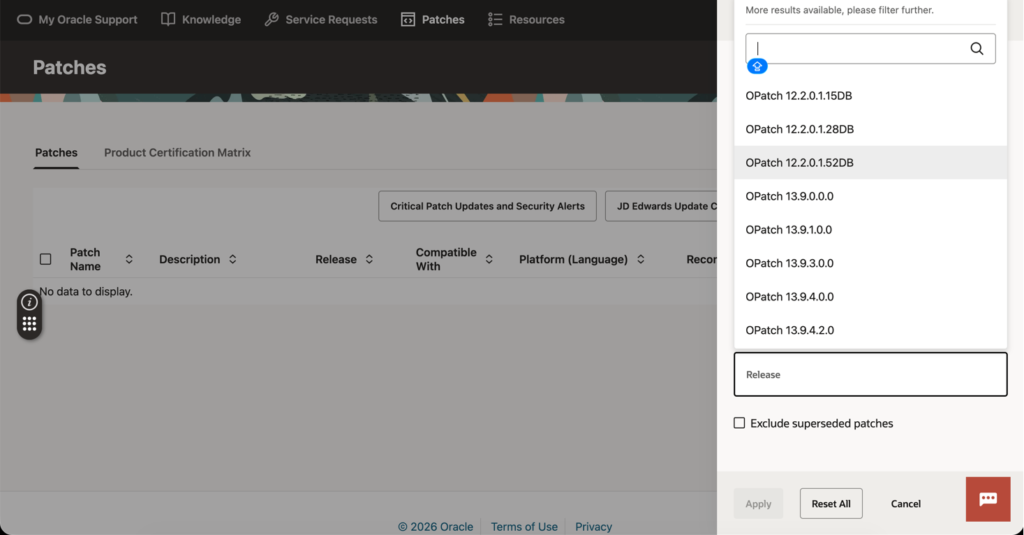
After downloading the OPatch, unzip it as below:
$ unzip -q p6880880_230000_Linux-x86-64.zip -d install_ogg_opatch

$ ls -l install_ogg_opatch
total 4
drwxr-x--- 14 oracle oinstall 4096 Jul 22 04:53 OPatch
Before replacing the current OPatch installation, I recommend keeping a backup.
$ mv $OGG_HOME/OPatch $OGG_HOME/OPatch_bkp
$ mv /u01/bin_ogg/install_ogg_opatch/OPatch $OGG_HOME/OPatch
$ opatch version
OPatch Version: 12.2.0.1.52

OPatch succeeded.
Validations before Patch
Before applying the patch, check if there is any patch installed, then run an OPatch prerequisite check:
$ opatch lspatches
There are no Interim patches installed in this Oracle Home "/u01/app/oracle/product/ogg_trg".

OPatch succeeded.

$ cd install_ogg_patch/39740103/
$ opatch prereq CheckConflictAgainstOHWithDetail -ph ./
Oracle Interim Patch Installer version 12.2.0.1.52
Copyright (c) 2026, Oracle Corporation.  All rights reserved.

PREREQ session

Oracle Home       : /u01/app/oracle/product/ogg_trg
Central Inventory : /u01/app/oracle/oraInventory
   from           : /u01/app/oracle/product/ogg_trg/oraInst.loc
OPatch version    : 12.2.0.1.52
OUI version       : 12.2.0.9.0
Log file location : /u01/app/oracle/product/ogg_trg/cfgtoollogs/opatch/opatch2026-08-11_20-46-31PM_1.log

Invoking prereq "checkconflictagainstohwithdetail"

Prereq "checkConflictAgainstOHWithDetail" passed.

OPatch succeeded.
Stop all GoldenGate components
Stops all the EXTRACTs and REPLICATs processes, Distribution Paths and then all the OGG Services:
adminclient> stop ER *
adminclient> stop distpath all
adminclient> stop service *
Next, stop Service Manager:
$ cd /u01/app/oracle/product/sm_home/bin

$ ./stopSM.sh
Stopping Service Manager process (PID: 96)...
Service Manager stopped
Before proceed, validate and confirm if there are any other component running in the OGG HOME that will be patched. If you find any, stops/kill the process:
$ ps -ef | grep $OGG_HOME
oracle       122       1  0 Aug04 ?        00:07:10 /u01/app/oracle/product/ogg_trg/bin/AIService
oracle      2576    1686  0 20:49 pts/2    00:00:00 grep --color=auto /u01/app/oracle/product/ogg_trg

$ kill -9 122
** This might be a bug? The AI Service isn´t stopped as the other components.
Apply the Patch
$ opatch apply
Oracle Interim Patch Installer version 12.2.0.1.52
Copyright (c) 2026, Oracle Corporation.  All rights reserved.


Oracle Home       : /u01/app/oracle/product/ogg_trg
Central Inventory : /u01/app/oracle/oraInventory
   from           : /u01/app/oracle/product/ogg_trg/oraInst.loc
OPatch version    : 12.2.0.1.52
OUI version       : 12.2.0.9.0
Log file location : /u01/app/oracle/product/ogg_trg/cfgtoollogs/opatch/opatch2026-08-11_20-50-03PM_1.log

Verifying environment and performing prerequisite checks...

--------------------------------------------------------------------------------
Start OOP by Prereq process.
Launch OOP...

Oracle Interim Patch Installer version 12.2.0.1.52
Copyright (c) 2026, Oracle Corporation.  All rights reserved.


Oracle Home       : /u01/app/oracle/product/ogg_trg
Central Inventory : /u01/app/oracle/oraInventory
   from           : /u01/app/oracle/product/ogg_trg/oraInst.loc
OPatch version    : 12.2.0.1.52
OUI version       : 12.2.0.9.0
Log file location : /u01/app/oracle/product/ogg_trg/cfgtoollogs/opatch/opatch2026-08-11_20-50-28PM_1.log

Verifying environment and performing prerequisite checks...
OPatch continues with these patches:   39740103

Do you want to proceed? [y|n]
y
User Responded with: Y
All checks passed.

Please shutdown Oracle instances running out of this ORACLE_HOME on the local system.
(Oracle Home = '/u01/app/oracle/product/ogg_trg')


Is the local system ready for patching? [y|n]
y
User Responded with: Y
Backing up files...
Applying interim patch '39740103' to OH '/u01/app/oracle/product/ogg_trg'

Patching component oracle.oggcore.services.ora23ai, 23.4.0.0.0...
Patch 39740103 successfully applied.
Log file location: /u01/app/oracle/product/ogg_trg/cfgtoollogs/opatch/opatch2026-08-11_20-50-28PM_1.log

OPatch succeeded.
Validate the Patch after install
$ opatch lspatches
39740103;Oracle GoldenGate 23.26.3.0.0 for Oracle

OPatch succeeded.
Start all the GoldenGate components
Start the Service Manager:
$ cd /u01/app/oracle/product/sm_home/bin
[oracle@OGG904 bin]$ ./startSM.sh
Starting Service Manager process...
Listening on '/u01/app/oracle/product/sm_home/var/run/AIService.sock'
Service Manager process started (PID: 3130)
Start all the OGG Services, distpath and all the EXTRACTs and REPLICATs processes
adminclient> stop ER *
adminclient> stop distpath all
adminclient> stop service *
Final Validation
Login into your Service Manager and confirm the new release:
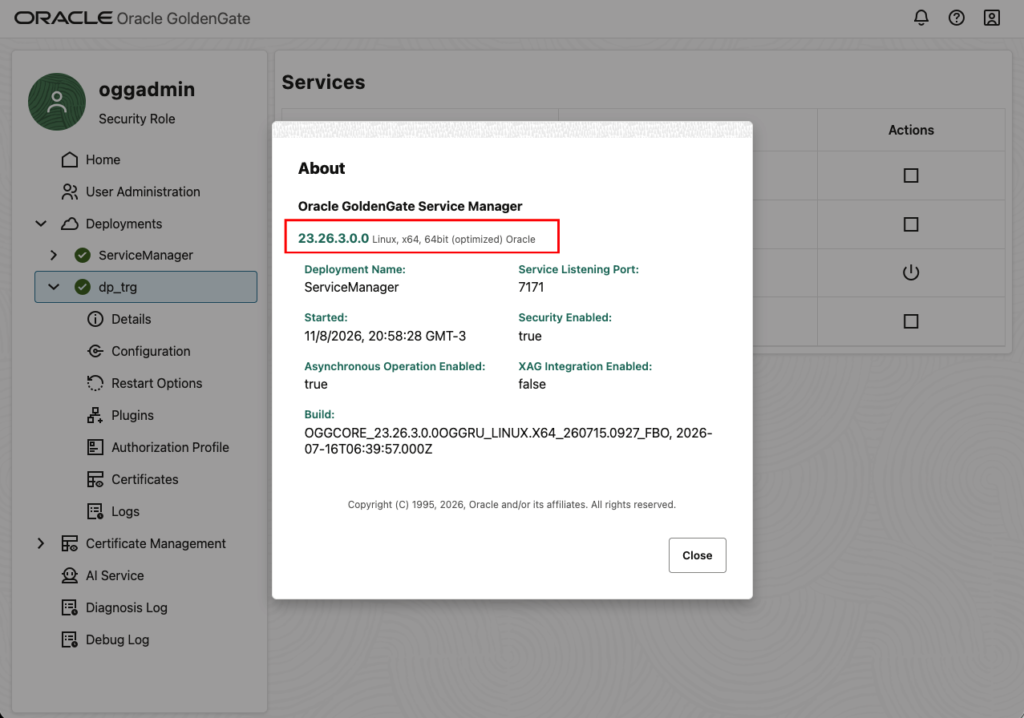
You can find more details about this release in the documentation below:
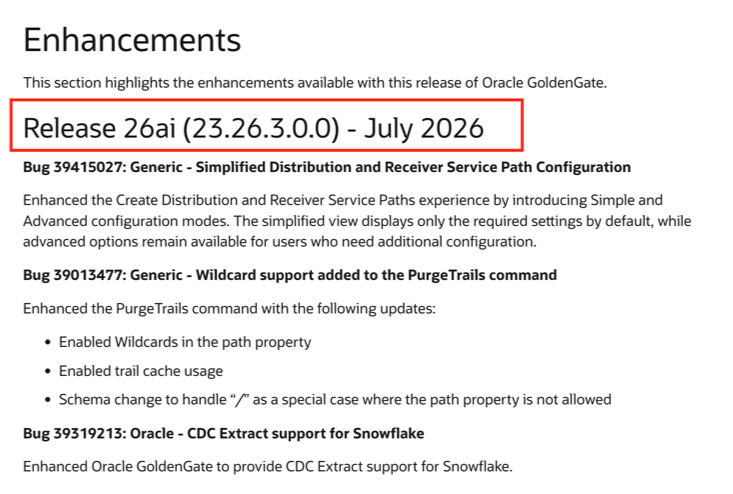
Oracle GoldenGate Enhancements – Release 26ai (23.26.3.0.0) – July 2026
In this post, we successfully patched an Oracle GoldenGate environment to: Oracle GoldenGate 23.26.3.0.0, using: Patch 39740103 and OPatch 12.2.0.1.52 (6880880).